> For the complete documentation index, see [llms.txt](https://help.waterwatch.io/3.0.1/llms.txt). Markdown versions of documentation pages are available by appending `.md` to page URLs; this page is available as [Markdown](https://help.waterwatch.io/3.0.1/installation-guides-tank-monitors/tank-monitor-4g-setup-after-oct-2022.md).
# Tank Monitor - 4G Setup (after Oct 2022)
{% hint style="info" %}
Before installing please read our [positioning tips](/3.0.1/tank-monitor-positioning.md)
{% endhint %}
{% file src="/files/2CQD4pJP8h8cZKXkLaAm" %}
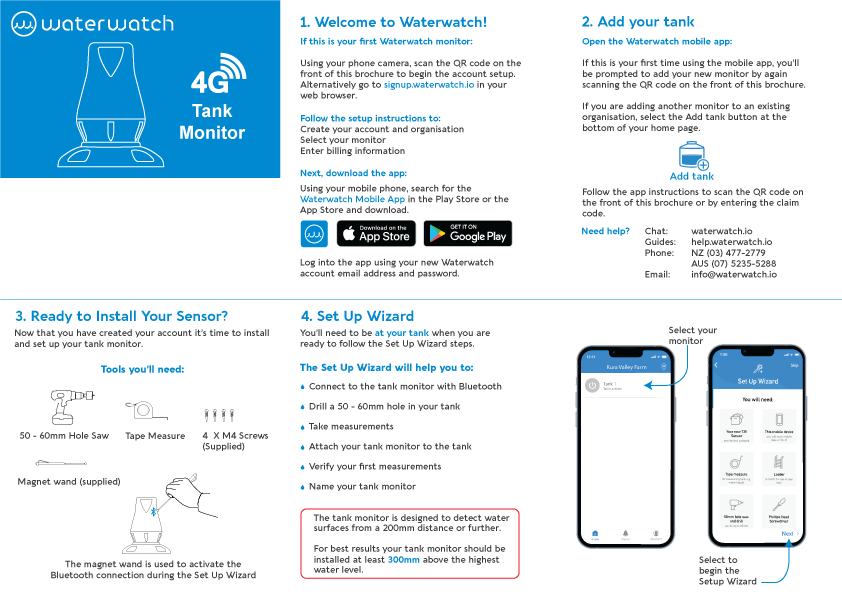
#### Tools you'll need:
To give your sensor a clear view of the water in your tank, [you'll need to drill a 50 - 60mm hole in your tank](/3.0.1/hole-saw-options.md). This is a standard size drill bit available from your local hardware store.
#### Open the mobile app and begin the set up wizard, you'll need to be at your tank to follow these steps.
**The setup wizard will help you to:**
* Connect to the tank monitor with Bluetooth
* Drill a 50 - 60mm hole in your tank
* Take measurements
* Attach your tank monitor to the tank
* Verify your first measurements
.png?alt=media&token=6b55a08f-af73-4e79-926c-911077238119)
